Published Jun 24, 2026 · Last updated August 4, 2026 · 8 min read
AI models have become remarkably good at reading text, and documents are where most of the world's text lives. That is why every PDF tool you use is quietly adding an AI assistant, and why "chat with your document" is quickly becoming a standard feature rather than a novelty. When the reading itself is the bottleneck — a 90-page contract, a stack of invoices, a report you will never finish — AI document processing can genuinely save time.
But a PDF workflow is more than reading. Merging, splitting, rotating, compressing and watermarking are mechanical operations with one correct answer, and they do not benefit from a language model's involvement. This article takes a balanced look at what AI can actually do with PDFs, where traditional tools remain the better choice, and what to watch for on privacy — including where PDFCraft stands today and what is still to come.
What AI Can Actually Do With PDFs
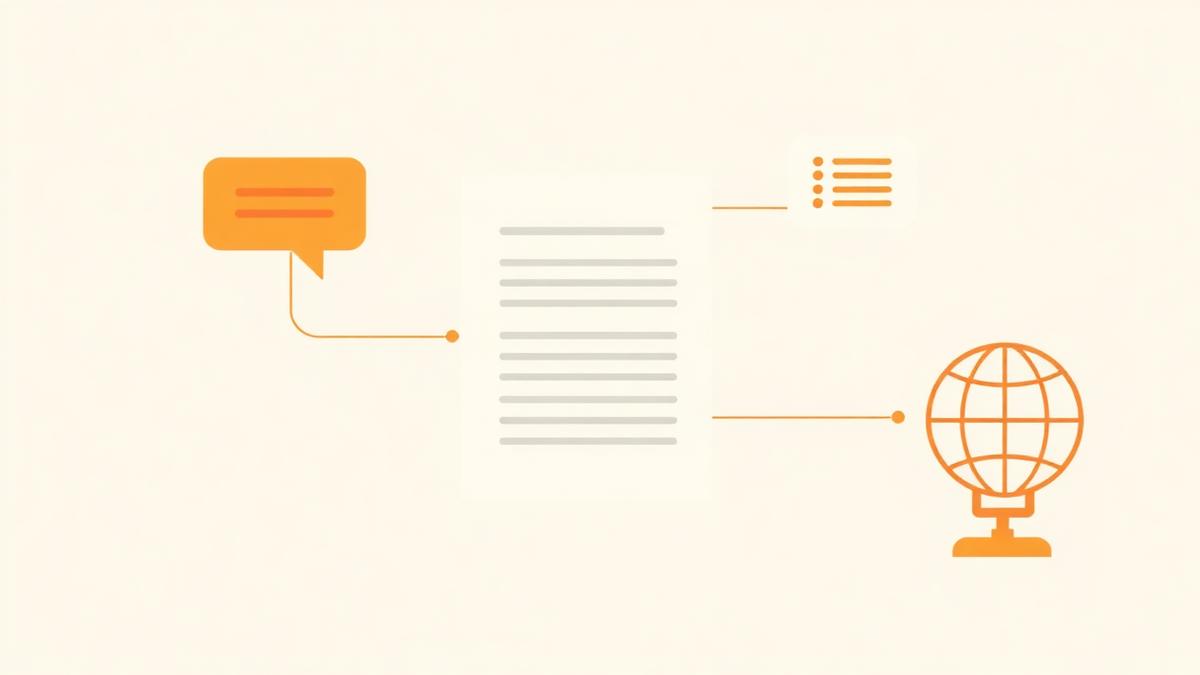
Modern AI models work with text, and a PDF is essentially a container of rendered text and images. AI-powered PDF tools therefore start by extracting the text (using OCR for scanned pages), then apply a language model on top of it. What that makes possible falls into a few well-understood categories.
Answering questions about a document
The headline use case: open a long contract and ask what the termination notice period is. A good AI answer includes the page reference so you can verify it in ten seconds rather than reading for an hour. This is genuinely useful — provided you treat the answer as a pointer to the right clause, not as a substitute for reading it.
Summarising and structuring long documents
Less flashy, arguably more useful: generating an outline of a long document with links to each section. Long PDFs are hard to navigate, and a reliable, automatically generated table of contents solves a boring problem that affects every reader of every long report.
Extracting data into tables
Pulling dates, amounts and party names out of a stack of invoices into tidy rows is exactly the kind of tedious, error-prone work a model handles well — as long as every extracted value can be traced back to the page it came from. Accuracy is high on clean digital documents and noticeably lower on faded or skewed scans.
Translating while keeping the layout
Translating an official letter is common and stressful. The value of AI here is not just the translation itself but keeping the layout intact, so the translated version still reads like the document it came from. For comprehension it works well; for official submission, a certified translation remains the right answer.
Traditional PDF Tools vs AI PDF Tools
It helps to be clear about the difference in kind, not just in features. Traditional PDF tools follow fixed rules; AI tools interpret text and generate answers.
| Traditional PDF tools | AI PDF tools | |
|---|---|---|
| How they work | Deterministic rules — the same input always produces the same output | A language model interprets the text and generates an answer |
| Best at | Merging, splitting, rotating, compressing, watermarking, converting | Reading, summarising, extracting data, translating |
| Can make mistakes | Only if the software has a bug | Yes — fluently and confidently, so answers need checking |
| Where processing runs | Often entirely on your device | Usually requires text (and often the file) to be sent to a server |
| Cost and speed | Instant and typically free | Slower, and model usage has a real running cost |
Where AI Helps Most
- Answering specific questions about long documents, with references you can verify.
- Building structured outlines of reports and contracts that are painful to navigate manually.
- Extracting repeating data — dates, totals, names — across many similar files.
- Making scanned or photographed documents searchable through OCR.
- Producing first-pass translations of letters and notices you need to understand quickly.
The common thread is reading. If a task today costs you an hour of eyeballing pages, that is where AI document processing earns its place. If a task takes one click, it does not.
Where Traditional PDF Tools Are Still Better
Most of what people do with PDFs day to day involves no reading at all. Combining a contract with its annexes (Merge PDF), pulling a certificate out of a scanned bundle (Split PDF), straightening a sideways scan (Rotate PDF), shrinking a file to fit an upload limit (Compress PDF) — these are deterministic operations. Software can compute the correct answer, so there is nothing for a model to contribute.
- Merging, splitting, rotating, deleting and rearranging pages. These already take one click.
- Compression. It is arithmetic, not judgement.
- Placing a stamp or a signature. You know where it belongs; a model guessing is worse than you deciding.
- Format conversions between PDF, Word and images. The mapping is fixed and well understood.
- Anything where a wrong answer would look exactly like a right one and nobody would check.
Privacy Considerations When Using AI With Documents
The single most important question to ask of any online document service is: does my file leave my device? Traditional browser-based tools can process a PDF entirely on your machine — your browser opens the file, changes it in memory and writes it back, with no upload at all. Most AI features are different: to work, they typically need the document's text, and often the whole file, to be sent to a server for processing.
That does not automatically make AI tools unsafe, but it does mean the privacy depends on promises instead of guarantees: how long the service retains your document, whether it is used to train models, who can access it, and what happens when you delete it. Those answers differ from service to service and change over time, so before using an AI feature on a document that matters, check the service's privacy policy rather than assuming. We are not making claims about any particular third-party service here — policies vary and only the provider's current terms tell you where you stand.
Be extra deliberate with anything sensitive: contracts, identity documents, medical or financial records. A useful habit is the same one we suggest for evaluating any PDF tool — open your browser's network panel while the operation runs and see whether your file is being uploaded. Local tools show no upload request at all. For more on judging document tools on this basis, see our guide to signing PDFs safely online.
What the Future of AI-Powered PDF Workflows Could Look Like
The plausible near future is not a robot that replaces your PDF tools — it is quieter than that. Conversational interfaces that answer questions about the document you have open. Automatic filing that reads an invoice and suggests the right folder and filename. Better OCR that turns messy scans into clean, searchable text. Draft generation: extract the key terms from a signed contract into a summary your colleagues can review in a minute.
All of this is achievable, and some of it is already appearing in mainstream tools. What separates a useful implementation from a gimmick is traceability (every claim points to the page it came from), restraint (AI where reading is the bottleneck, not everywhere) and honest privacy (the feature says what gets sent, before it runs).
PDFCraft's Approach
PDFCraft today is a toolkit of traditional, deterministic PDF tools — and they all run locally in your browser. Your document is never uploaded, so there is nothing stored, queued or leaked. Available right now:
- Merge PDF, Split PDF, Rotate PDF, Delete Pages and Rearrange PDF for structuring documents.
- Compress PDF and Watermark PDF for preparing files to share.
- Edit PDF, Sign PDF and the Stamp Creator for finishing and approving them.
- PDF to Word, Word to PDF, JPG to PDF and PDF to JPG for conversions.
AI features — such as chatting with a PDF, summarisation and translation — are on our roadmap and marked **Coming Soon** in the toolkit. They are not available yet, and we will not describe them as available until they actually are. When they ship, our commitment is that they will be opt-in, clearly labelled as AI, and explicit about what data is sent and where, before anything runs. The local tools will stay exactly as local as they are today.
If you want to prepare for the AI features in the meantime, the best thing you can do is get your documents organised: merge related files, remove blank pages, fix sideways scans and keep filenames consistent. Our simple document filing system guide covers a setup that takes minutes to adopt and pays off immediately.
Frequently asked questions
- Do I need AI to work with PDFs?
- No. Most everyday PDF tasks — merging, splitting, rotating, compressing, watermarking, signing and converting — are mechanical operations that deterministic software handles instantly and correctly. AI adds value when reading is the bottleneck: answering questions, summarising, extracting data or translating.
- Are AI PDF tools safe for confidential documents?
- It depends on where processing happens. Many AI features require your document to be uploaded to a server, so privacy rests on the provider's retention and training policies. Before using one on a contract, ID scan or financial record, check those policies rather than assuming. Tools that process entirely in your browser never upload the file at all.
- Do PDFCraft's current tools use AI?
- No. Every tool available today — merge, split, rotate, delete and rearrange pages, compress, watermark, edit, sign, stamp and the file conversions — is deterministic and runs entirely in your browser. Your documents are never uploaded.
- What AI features are coming to PDFCraft?
- Features such as Chat with PDF, summarisation and translation are on the roadmap and marked Coming Soon in the toolkit. No dates have been announced. When they launch they will be opt-in, clearly labelled, and will state what data is sent before anything runs.
- Can I trust an AI summary of a contract?
- Treat it as a shortcut to the relevant pages, not as advice. Use the summary to locate the clauses that matter, then read those clauses yourself — especially anything you are about to be legally bound by. For consequential agreements, professional advice still matters.
- Can AI read scanned PDFs?
- Yes, via OCR (optical character recognition), which converts the image of a scanned page back into text. Accuracy tracks scan quality: clean digital documents extract reliably, while faded, skewed or low-resolution scans need spot-checking against the source page.
Every tool you can open in the toolkit is live, free and runs in your browser — the AI features will join it only when they are accurate, labelled and honest about privacy.
See the current toolkitAbout this article
- Written by
- PDFCraft Team
- Reviewed by
- PDFCraft Editorial Team
- Last updated
PDFCraft builds free, browser-based PDF tools. This guide reflects how our team works with documents day to day and is reviewed whenever the underlying tools change.